
Document retained for owners of our earlier products.
INSTALLATION TUTORIAL
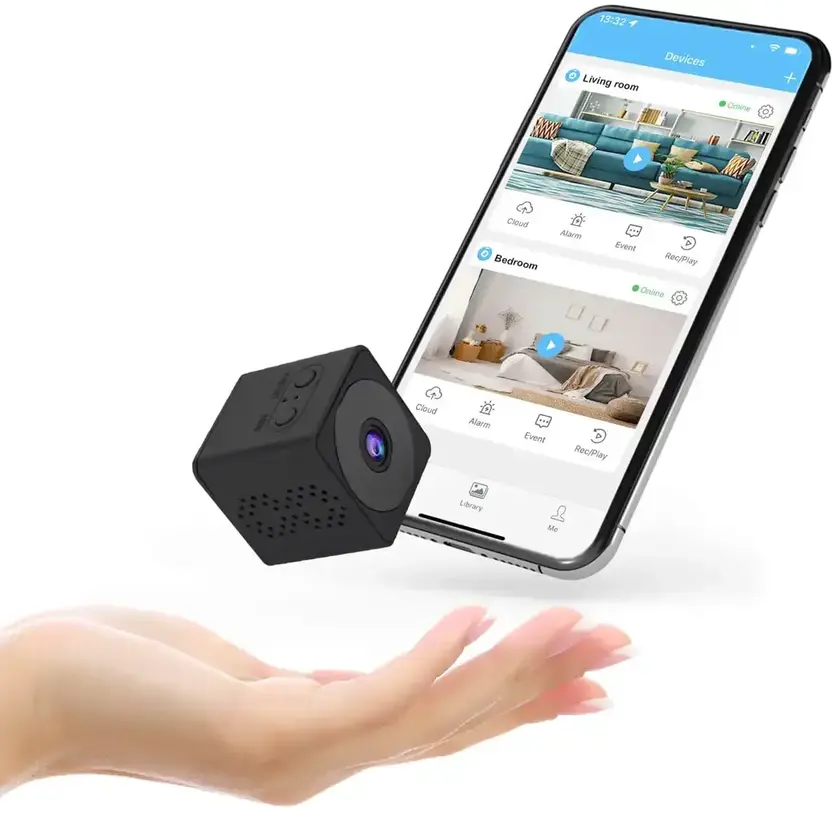
CAMERA SETTINGS
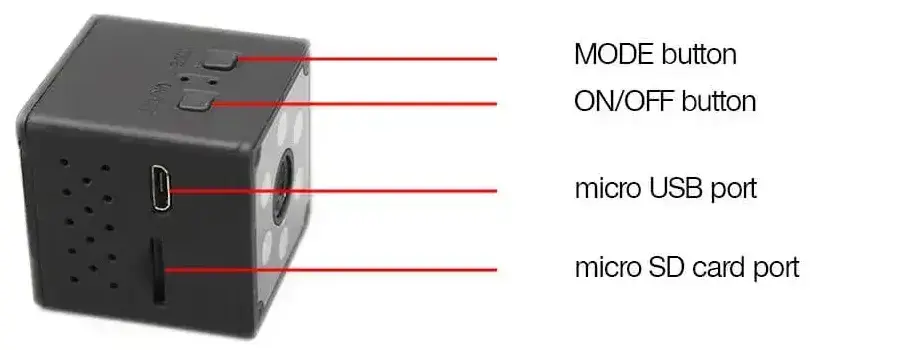
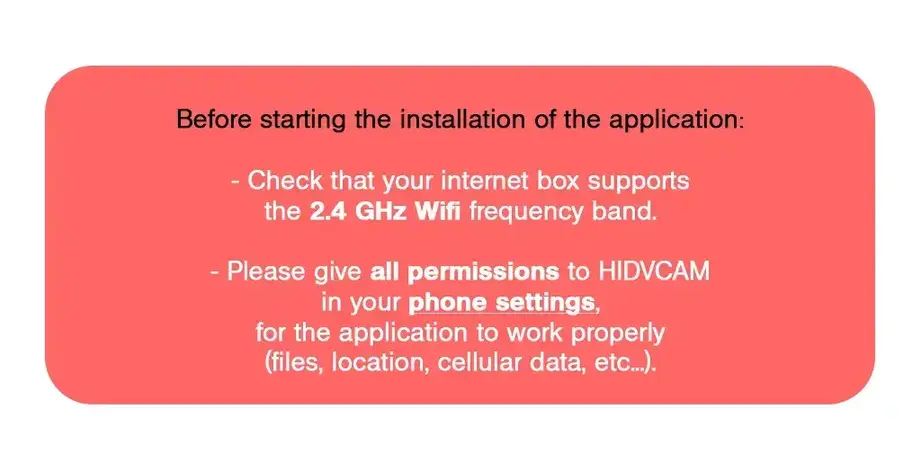


APPLICATION SETTINGS
In this application you will find different functionalities:
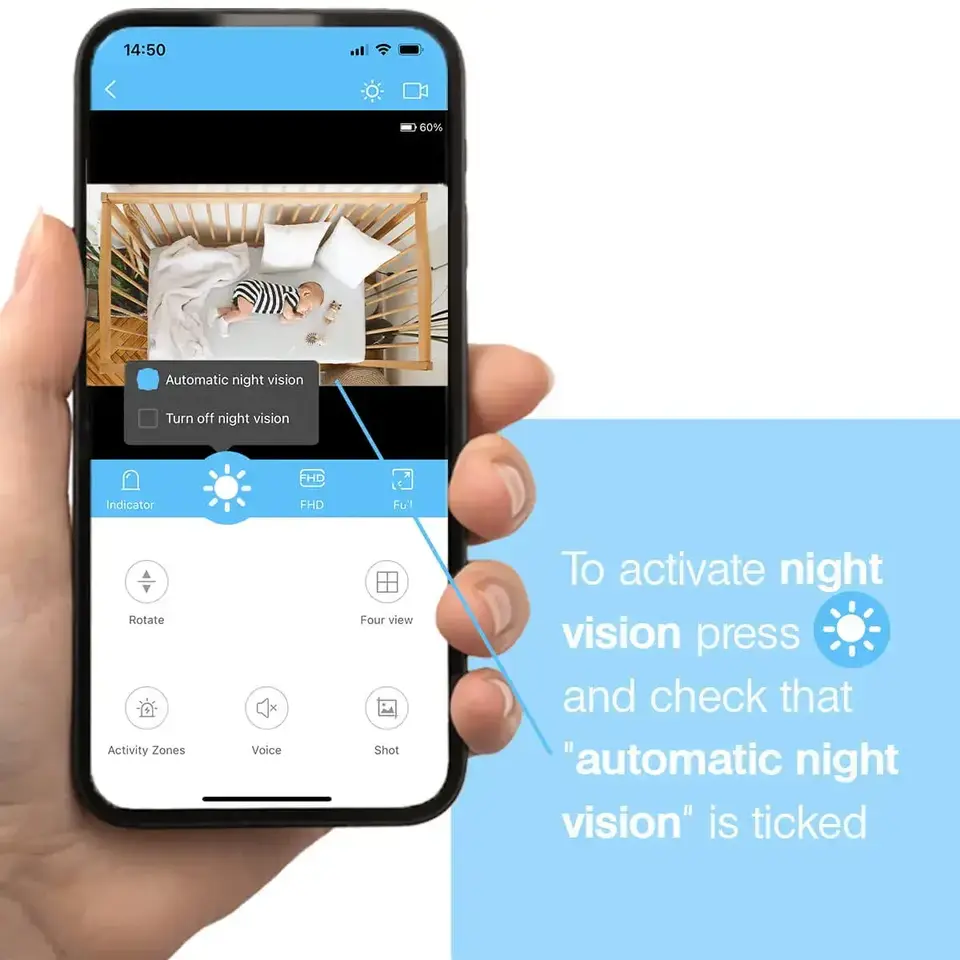
Night vision
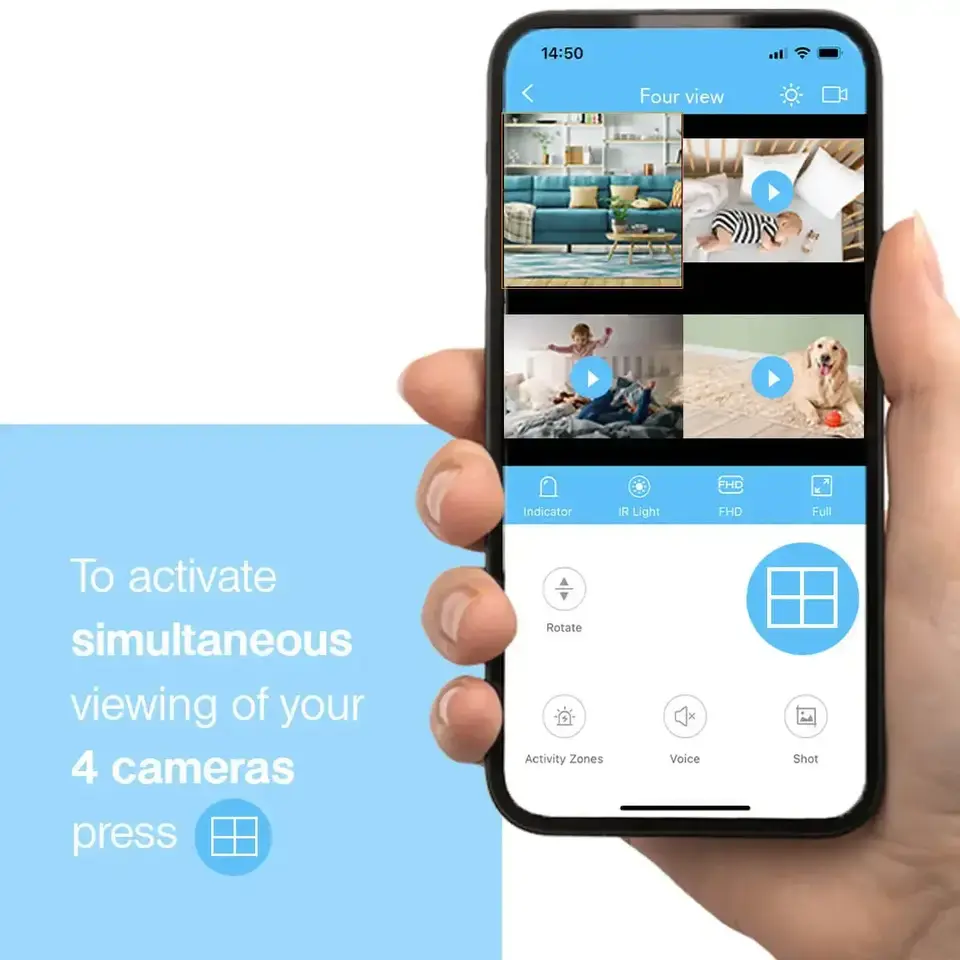
Simultaneous viewing of 4 images
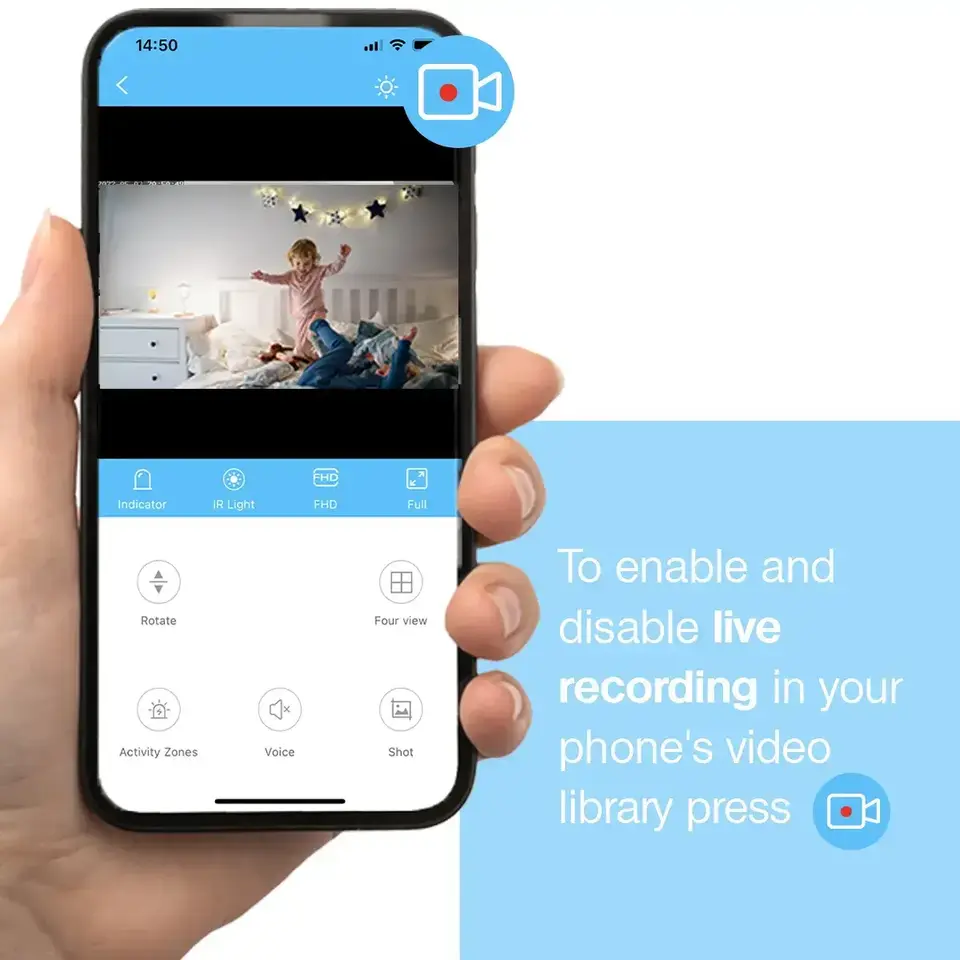
Live recording
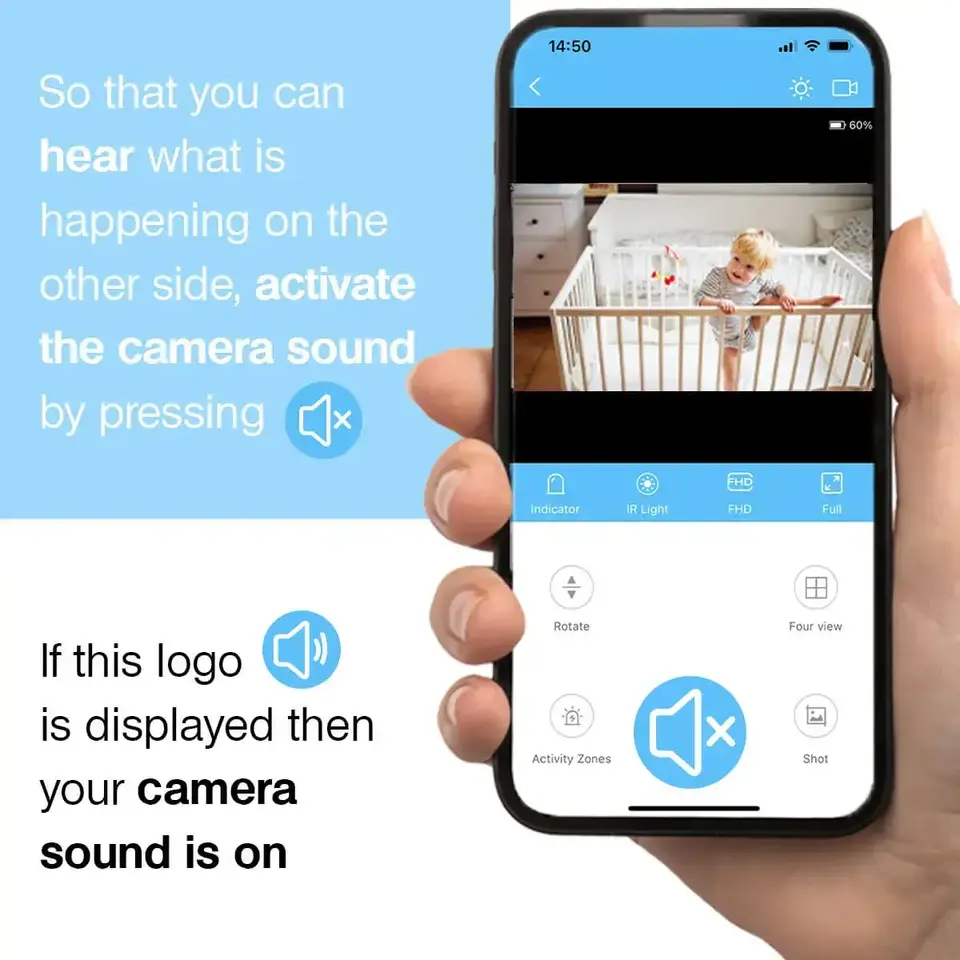
Activation of camera sound
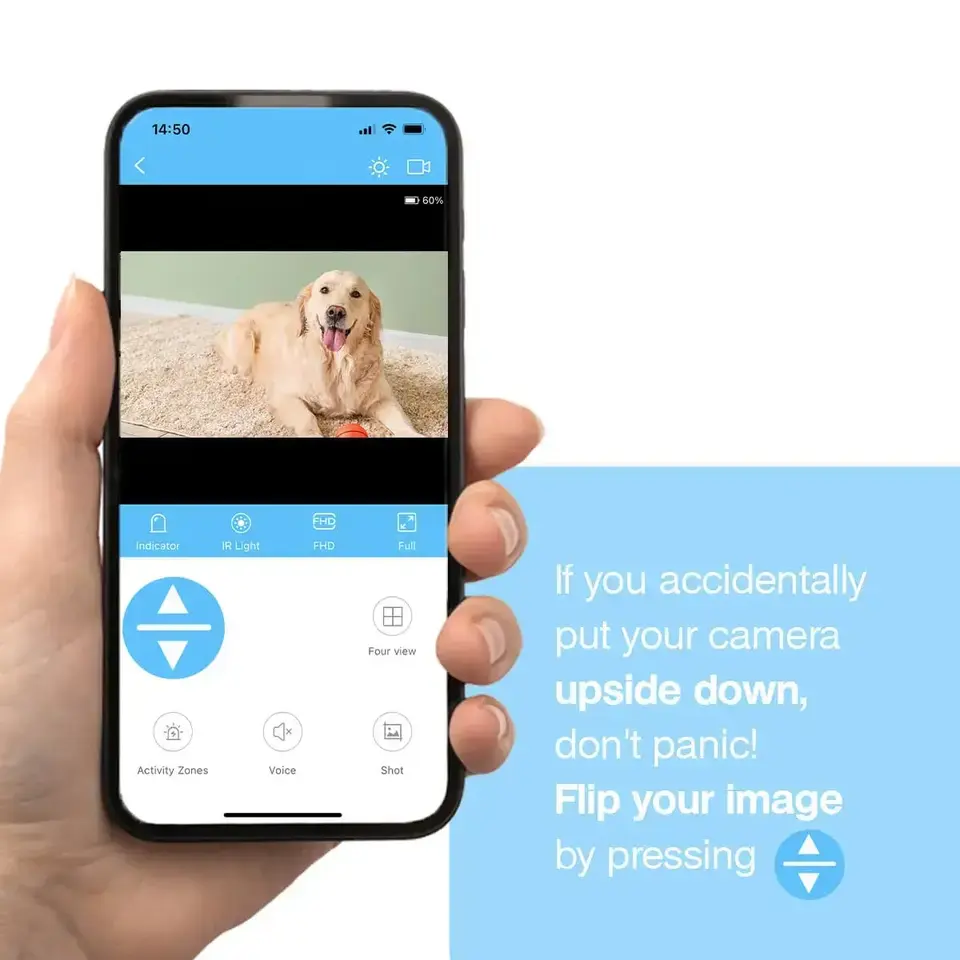
Horizontal image inversion
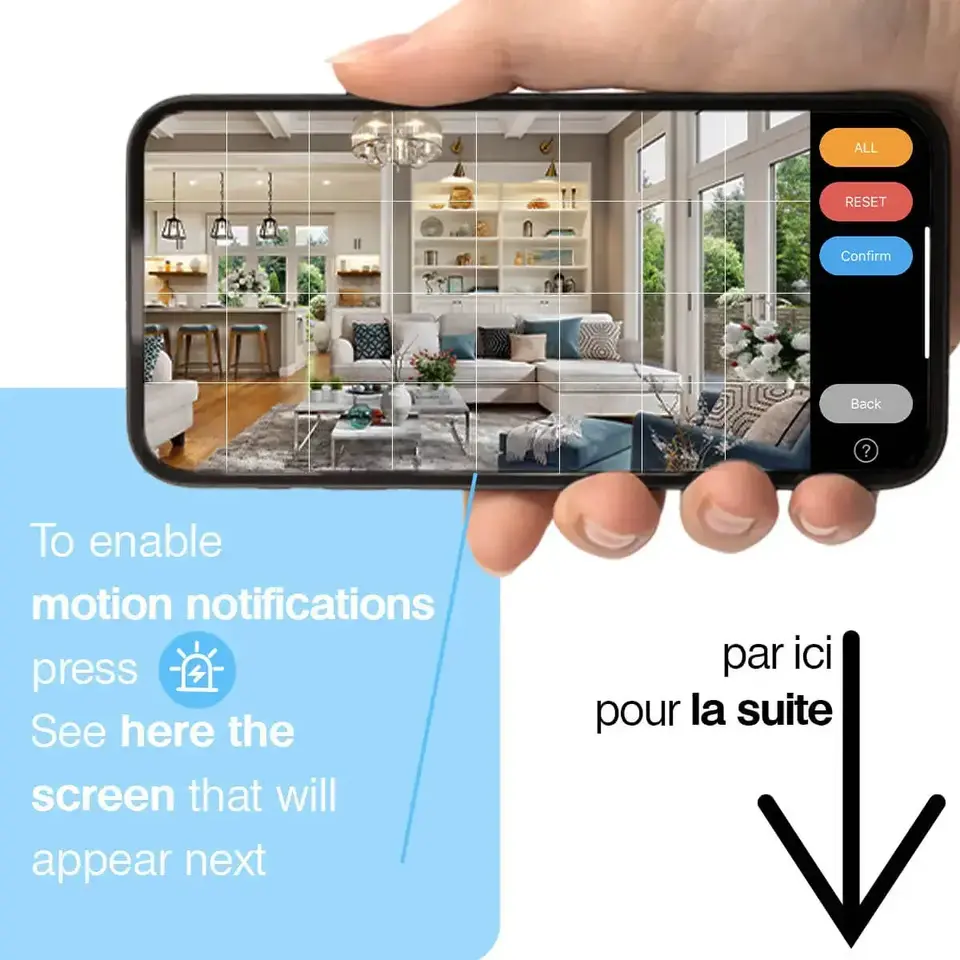
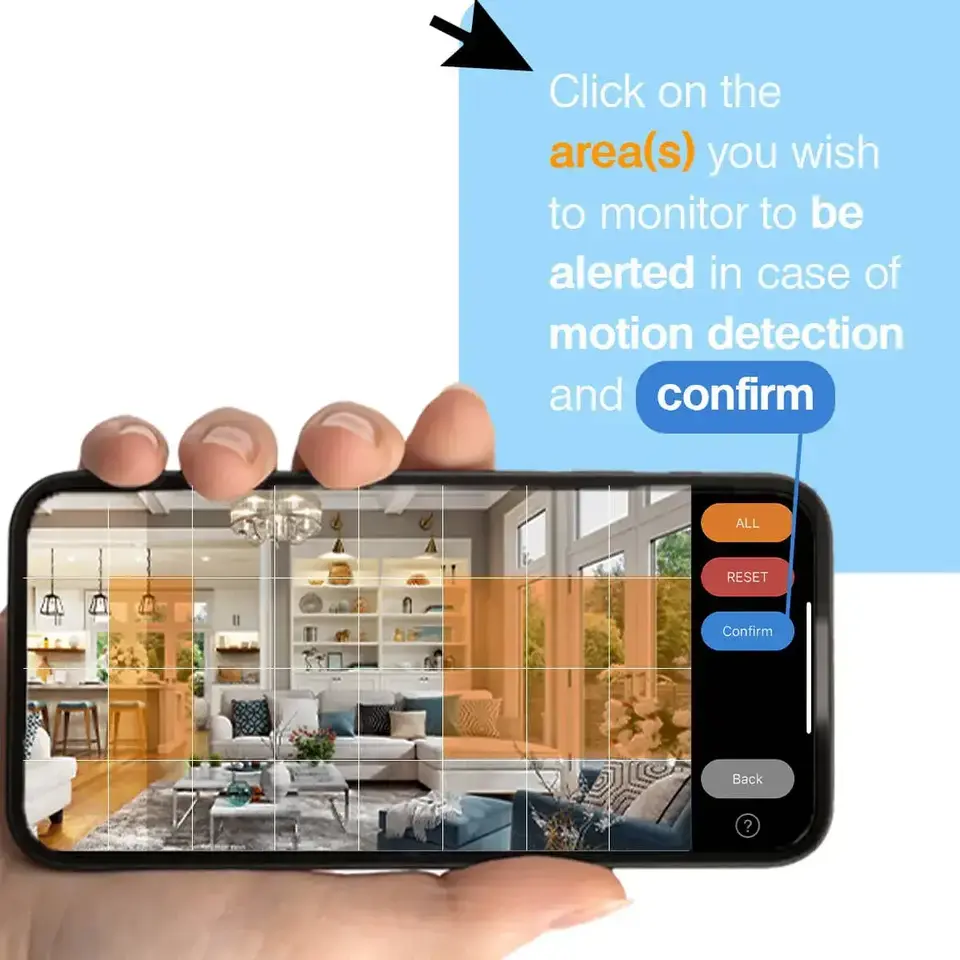
Activation of motion notifications
FAQ
I have a problem at some stage of the camera installation, what should I do?Press the MODE button on your camera for 6 seconds in a row and then repeat the installation process from the beginning.
Why do the features of my camera not always work or take a long time to start? (the live video stream is jerky, the motion detection takes a long time to send me a notification, ... )Check the wifi signal in the room where the camera is located, many features require an internet connection to work.
How do I record a video on the SD card?Videos are recorded automatically once an SD card is inserted into the camera. You can adjust the recording settings in the HDIVCAM application settings.
Contact US
Do you need help? Do not hesitate to contact us at the following address: contact@dealeez.fr
Contact our team at this address for assistance.